Melbourne’s Trusted Experts in Automated Gates & Fencing – Residential, Commercial & Industrial Solutions.

Automated Gate Safety Checklist: 10 Must-Have Features for Homes
Discover 10 essential automated gate safety features, including sensors, auto-reverse, battery backup, and more to keep your home safe and compliant.
5/18/20267 min read
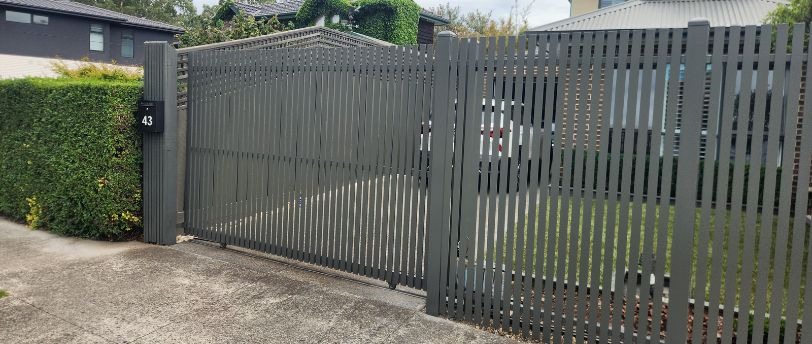
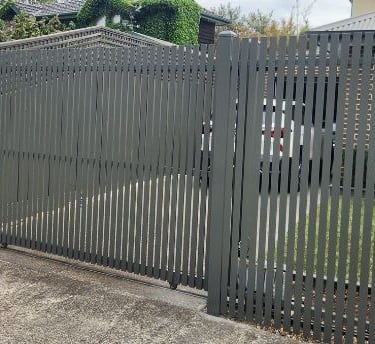
Automated gates make everyday life a lot easier. You do not have to get out of your car in the rain, and you have better control over who comes and goes. But a gate that is not set up with the right safety features can cause real harm. Crush injuries and gate failures happen when things are missed during installation.
This checklist covers the 10 safety features every automated gate at home should have. If you already have a gate, use it to check what you have. If you are planning a new one, use it before anything goes in.
Why Gate Safety Is Worth Taking Seriously
Automated gates are heavy. A standard residential sliding gate can weigh over 100 kilograms. When something that heavy closes at speed, it does not take much to cause a serious injury, especially with kids and pets around. A gate without proper safety features is a real risk for any household.
In Australia, automatic gates must meet AS/NZS 60335.2.103. This is the standard that covers safety for gate drives and openers. It sets rules around how much force a gate can use, what happens when it hits something, and how entrapment risks are managed. Any professionally installed gate should meet this standard.
The 10 Safety Features to Check For
1. Obstacle Detection Sensors
Safety sensors, usually infrared beams or photocells, sit across the gate opening. When something breaks the beam while the gate is moving, the gate stops. This is one of the most basic safety features and one of the most important.
Sensors should be positioned low enough to pick up a small child or a dog, not just a car bumper. If your gate only has sensors at one height, it is worth asking whether that covers the full risk. All automated gate installations by iGate include safety sensors as part of the setup.
2. Auto-Reverse Function
If a gate touches something while closing, it must reverse. Not just stop, it must reverse. This is a requirement under Australian standards and applies to all automatic gates.
There are two ways this works. The first is sensor-based, where the gate detects something and stops before making contact. The second is force-based, where the motor detects resistance once the gate touches something. Both need to work together. The force limit under Australian standards is 400N, which means the gate cannot keep pushing without limit if something is in the way.
3. Correct Force Settings
The motor force needs to be set to suit your specific gate. A heavy steel sliding gate needs different settings than a lighter aluminium swing gate. If the force is set too high, the gate can keep pushing even when it should have stopped.
This is something a professional installer sets and tests during commissioning. Getting it right is part of what makes a properly installed gate safe to use day to day. iGate's team sets and checks force controls on every job before handover.
4. Warning Lights and Beep Alerts
A gate that starts moving with no warning is a problem. Flashing amber lights or a beep tone before the gate moves give people time to step clear. These are especially useful in busy driveways where kids or visitors may not notice the gate starting up.
Warning lights are a standard part of a well-set-up system. They do not add much cost but they make a clear difference to day-to-day safety. If your current gate has no visual or audible alert before it moves, that is worth looking at.
5. Manual Release
Power outages happen. If your gate has no manual release, you could be stuck inside or outside your own property. A manual release lets you open or close the gate without electricity. Depending on the motor, this could be a key, a lever, or a pull handle.
The release needs to be easy to find and use in an emergency. It also needs to be secure enough that someone cannot access it from the street. When iGate installs a sliding gate or swing gate, the installer walks you through how the manual release works before the job is finished.
6. Protection Around Entrapment Points
Entrapment points are the gaps where someone could get caught as the gate moves. On a sliding gate, the main risk is the gap between the gate and the fence post at the end of its travel. On a swing gate, it is the hinge side and the edge of the gate as it closes.
These areas need to be thought about at the design stage. Physical guards, extra sensors near high-risk gaps, or design choices that reduce pinch points all help. When looking at gate designs, it is worth asking specifically how entrapment risks at the latch and hinge sides are handled.
7. Access Control
Access control covers how the gate is operated and who can do it. This includes remote controls, keypads, intercoms, and app-based systems. Getting this right matters for safety, not just convenience.
If too many people have a remote or the code is shared around, the gate could be operated by someone who does not know a child is nearby. Modern remote systems use rolling code technology, where the signal changes every time you press the button. This makes them much harder to copy than older systems. iGate can integrate intercoms and access control options into new and existing gate installations.
8. Battery Backup
A gate that loses power and gets stuck open is a security problem. One that locks shut in an emergency is a different kind of problem. A battery backup keeps the gate working through a power outage.
Most current gate motors have battery backup available, either built in or as an add-on. The battery charges from mains power and switches over automatically when power drops out. In Melbourne, where summer storms can knock out power without much notice, this is a practical thing to have. Ask about battery backup when planning any new gate automation with iGate.
9. Regular Servicing
Having safety features installed is one thing. Keeping them working is another. Sensors can shift out of alignment. Moving parts wear down. Motor connections can corrode. A feature that has not been tested in a year may not work when it is actually needed.
A gate should be checked every six months. A proper service looks at the auto-reverse, sensor alignment, hardware condition, motor function, and whether the manual release still works. If the gate starts sounding different or moving slower between services, do not wait.
10. Professional Installation
Every feature on this list only works if the gate is installed properly. Poor wiring, sensors pointed the wrong way, and force settings that have never been calibrated are all common problems with DIY jobs.
Australian standards require gate automation to be carried out by a competent installer. DIY kits are available online, but plenty of people who go that route end up calling a professional after running into problems. A proper install means the system is set up correctly, tested, and backed by someone who knows what they are doing. iGate designs, builds, and installs automated security gates for homes across Melbourne with all safety requirements covered.
Questions to Ask Before Your Gate Goes In
Before work starts on any new gate, run through these:
Does the motor meet AS/NZS 60335.2.103?
Are sensors placed low enough to detect a child or pet?
Is auto-reverse included and will it be tested before handover?
Will force settings be calibrated to your specific gate?
Are warning lights or a beep alert part of the setup?
Is there a manual release, and will you be shown how to use it?
Are entrapment points at the hinge and latch sides protected?
Does the remote control use rolling code technology?
Is battery backup available or included?
What does servicing look like after installation?
If anything on this list does not get a clear answer, keep asking before work starts.
Checking an Existing Gate at Home
If you already have an automated gate, run through these checks every six months:
Test auto-reverse by placing a solid object in the gate's path
Check that safety sensors are clean and lined up correctly
Listen for any new sounds while the gate is moving
Test the manual release to confirm it still works
Check all remotes and access devices are operating
Look over hinges, tracks, and fixings for wear or looseness
Confirm warning lights are working
Clear leaves, dirt, or debris from the gate's path and around sensors
If anything is not right, stop using the gate until a professional has had a look.
Get Your Gate Right From the Start
A safe gate runs in the background and you do not think about it much. That is the point. But if a safety feature is missing or not working, you may not find out until something goes wrong. Getting it right from day one is always the better option.
Whether you are putting in a new gate or want to check your existing setup, iGate Automation can help. The team works across Melbourne on residential sliding gates, swing gates, and full automation systems built to Australian standards.
Get in touch with iGate for a free quote and have the team take a look at what your property needs.
Frequently Asked Questions
1. Do automated gates in Australia have to meet a safety standard?
Yes. Automatic gates must comply with AS/NZS 60335.2.103. This covers force limits, auto-reverse requirements, and entrapment protection. Any gate installed by a professional should meet this standard.
2. How often does an automated gate need to be serviced?
Every six months is the general recommendation. A service should cover sensors, auto-reverse, hardware condition, and the manual release. If you notice changes in how the gate sounds or moves before that, get it checked sooner.
3. Is it safe to install an automated gate yourself?
DIY kits are available, but getting it wrong means safety features may not work as they should. Many people who start a DIY gate job end up calling a professional to fix problems partway through. A professional install means the system is set up and tested properly before you start using it.
4. What is the difference between sensor-based and force-based auto-reverse?
Sensor-based auto-reverse stops the gate when it detects something before the gate makes contact. Force-based auto-reverse kicks in when the gate physically touches something and feels resistance. Both should be present. Together they give two layers of protection rather than one.
5. What happens to my gate if the power goes out?
If the motor has battery backup, the gate will keep working for a number of cycles through the outage. If there is no backup, you use the manual release to open or close it by hand. It is worth confirming which option your motor includes before installation, and knowing how to use the manual release either way.
Address : 22 Barkly St, Brunswick East VIC 3057, Australia
Connect With Us On Social Media
I Gate Automation
ABN 25 634 531 231
Our Privacy Policy
Our Terms & Conditions
Contacts
1300 251 900
info@igateautomation.com.au